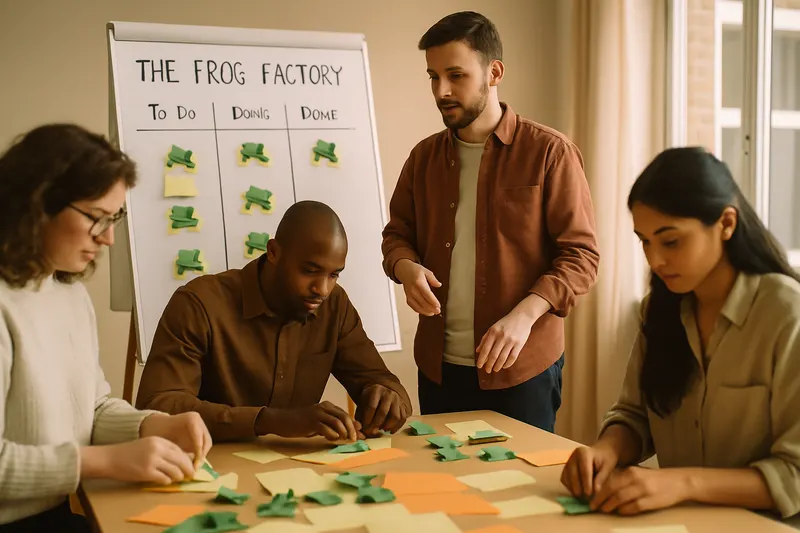
The Kanban Frog Factory
Learn Kanban by folding origami frogs.
The Kanban Frog Factory is a serious game that simulates a production environment using origami folding to teach the principles of Kanban. Participants discover how to manage workflow, limit work in progress, and apply continuous improvement. The game unfolds over several iterations, allowing teams to find creative solutions to optimise their process.
Walkthrough
- 1
Introduction and explanation of the rules
10 minThe facilitator introduces the concept of the game and the basic principles of Kanban. They explain that participants will simulate a production line by folding origami frogs. Roles are assigned (cutting, folding, checking, etc.), and the objective is to optimise the production flow.
Tip — Use a whiteboard to illustrate the Kanban process and the roles of each participant.
- 2
First iteration
6 minParticipants carry out their first production iteration without any limits on work in progress. The facilitator observes and notes potential bottlenecks. At the end, they ask participants to share their observations on the process.
Tip — Encourage participants to note any issues encountered on post-it notes to facilitate discussion after the iteration.
- 3
Setting work in progress limits
10 minThe facilitator introduces the concept of work in progress (WIP) limits and asks teams to define limits for each stage of the process. Teams discuss and adjust their strategies accordingly for the next iteration.
Tip — Suggest initial WIP limits if participants are struggling to decide.
- 4
Second iteration with WIP
6 minParticipants perform a new iteration while adhering to the WIP limits set previously. The facilitator encourages the team to note improvements or new bottlenecks. After the iteration, a brief feedback session is held.
Tip — Take photos of the Kanban board before and after the iteration to visualise the changes.
- 5
Continuous improvement
10 minThe facilitator leads a discussion on continuous improvement, asking participants to propose adjustments to further enhance the process. Teams choose one or two ideas to test in the next iteration.
Tip — Encourage participants to be creative and not hesitate to test bold ideas.
- 6
Third iteration with improvements
6 minTeams implement the improvements decided previously and carry out a new iteration. The facilitator observes the results and encourages participants to reflect on the impacts of the changes.
Tip — Time each step to show the impact of improvements on cycle time.
- 7
Conclusion and feedback
10 minThe facilitator concludes the workshop by discussing the lessons learned and how the principles of Kanban can be applied in their work environment. Participants share their final thoughts and the learnings they wish to apply.
Tip — End with an open question about applying Kanban concepts in other contexts.
Variants
- Add additional roles to simulate more complexities in the production line.
- Introduce random events to simulate interruptions or changes in priorities.
- Conduct a final iteration without WIP limits to compare with the first iteration.
Debrief guide
- What did you observe about the production flow during the different iterations?
- How did the WIP limits affect your process?
- What bottlenecks did you identify, and how did you resolve them?
- Which changes had the most impact on your team's efficiency?
- How can you apply what you learned today in your daily work?
- What continuous improvement strategies could you implement in your current team?
- How has the game changed your perception of Kanban?