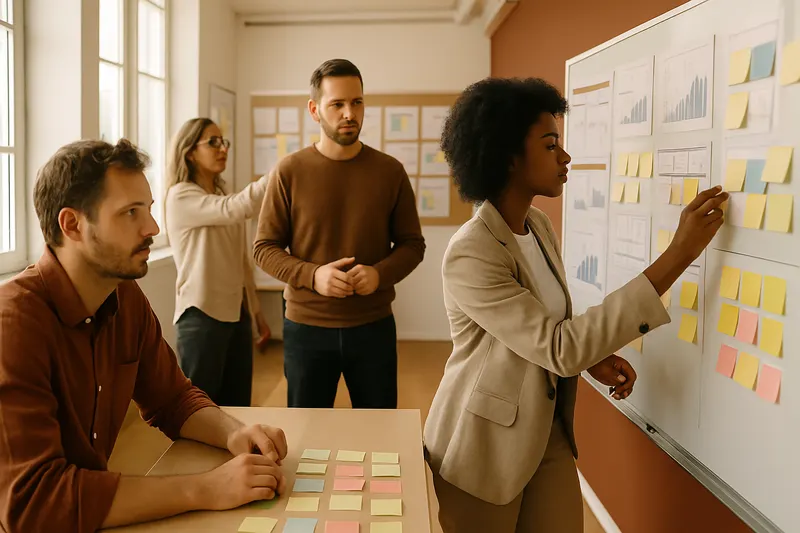
Obeya Room Setup
Create an Obeya room for optimal visibility of team performance.
The Obeya Room is a collaborative space where teams can visualise key performance indicators and the progress of a programme. This game promotes alignment, transparency, and continuous improvement by making information accessible to all members of an organisation. By creating an Obeya room, participants learn to structure and organise information in a visible and accessible way, thus facilitating decision-making and coordination within the team.
Walkthrough
- 1
Introduction to the Obeya Concept
15 minThe facilitator introduces the concept of the Obeya Room, explaining its origins in Lean management and its importance for visibility and communication of performance. They highlight how this approach helps align teams on common goals. Participants are invited to ask questions to ensure they fully understand the concept.
Tip — Use concrete examples of companies that have succeeded through Obeya to illustrate its impact.
- 2
Defining the Objectives of the Obeya Room
20 minParticipants gather to discuss the specific objectives they wish to achieve with their Obeya room. The facilitator asks: 'What key indicators do you want to track?'. Teams jot down their ideas on post-its and share them. This step ensures that the room meets the team's needs.
Tip — Encourage participants to think about current communication or visibility issues they are facing.
- 3
Designing the Obeya Room
30 minEach group works on designing their Obeya room using whiteboards, markers, and post-its. The facilitator reminds them to consider the physical layout and how information will be organised. Participants must decide on the sections to include: objectives, KPIs, progress, issues, etc.
Tip — Provide templates or examples of Obeya rooms to inspire participants.
- 4
Presentation of the Obeya Rooms
20 minEach group presents their Obeya room design to the other participants. The facilitator encourages teams to explain their choices and discuss how their design meets their objectives. This step allows for sharing ideas and improving designs through feedback from others.
Tip — Conduct a round where each participant can ask a question or make a constructive suggestion.
- 5
Setup and Testing
25 minParticipants begin to physically set up their Obeya room using the available space. The facilitator guides the teams to ensure that the information is clearly visible and accessible. Once set up, each team conducts a test by simulating a meeting to check the effectiveness of their room.
Tip — Ensure that each participant has a role in the setup to encourage engagement.
- 6
Feedback Session
15 minThe facilitator invites participants to share their impressions on the process of creating the Obeya room. They ask questions about what worked well and what could be improved. This collective reflection helps identify strengths and areas for improvement for the future.
Tip — Encourage honest feedback by creating a trusting environment.
Variants
- Use digital tools to create a virtual Obeya room if remote work is predominant.
- Integrate additional visual elements such as graphs or charts to enrich the displayed information.
- Organise a challenge where each team must incorporate an innovative element into their Obeya room.
Debrief guide
- What have you learned about the importance of information visibility within a team?
- How can the Obeya room improve communication within your team?
- What challenges did you encounter while designing your Obeya room?
- How could you adapt your Obeya room to meet future needs?
- What are the next steps to integrate the Obeya room into your daily routine?
- What impact do you hope the Obeya room will have on your team performance?
- How can you ensure that the Obeya room remains a living and relevant tool?