
Pedagogical Chatbot Challenge
Design a useful, structured, and testable AI assistant for an e-learning experience.
In short. Pedagogical Chatbot Challenge is a serious game (innovation) for 4–20 participants, lasting 60–90 min. Created by serious-games.com. Use it for: apprentissage, prise de décision, créativité.
Card by serious-games.com, updated 22 November 2026. Original game by serious-games.com.
A collaborative workshop to understand what a chatbot can truly bring to online training. Participants start with a pedagogical scenario, choose learner needs, and then design a conversation prototype without any mandatory technical tools. The game emphasises usability, limitations, response quality, and pedagogical safety rules. It concludes with a cross-test and prioritisation of improvements.
Walkthrough
- 1
1. Launch and Game Framework
10 minThe facilitator welcomes the group, forms teams of 3 to 5 people, and announces: "Your mission is to design a chatbot that genuinely assists a learner, without replacing the trainer or promising the impossible." They present the 3 scoring criteria: usefulness, clarity, and risk management. Participants listen, ask questions, and choose a team name. This step creates a common framework and avoids jumping straight into technology.
Tip : Emphasise that a paper prototype is sufficient: the goal is to design an experience, not to code a tool.
- 2
2. Choose the E-Learning Scenario
10 minThe facilitator distributes or displays 6 scenario cards: onboarding, safety training, foreign language, sales, internal software, exam preparation. They say: "Choose a context, then define a specific learner, their goal, and their moment of blockage." Each team selects a card and fills out a persona sheet in 5 lines. The purpose is to force a concrete anchoring before deciding on the chatbot's features.
Tip : If participants all work in the same organisation, allow a real scenario, but ask that it remains simple enough to be tested in the workshop.
- 3
3. Map Needs and Risks
15 minThe facilitator gives each team 12 tokens to distribute across 4 needs: explain, train, assess, guide. They announce: "The more tokens you allocate, the more central this function will be in your chatbot. You must also write down 2 risks to avoid." Participants debate, distribute the tokens, and note their risks, such as confusion, dependency, vague responses, or unfair assessment. This mechanism forces prioritisation and balances ambition with responsibility.
Tip : Limit to 12 tokens, even if the group wants to do everything: the constraint makes trade-offs visible.
- 4
4. Design the Prototype Conversation
20 minThe facilitator distributes a template with 8 boxes: welcome, diagnosis, personalised help, follow-up question, mini-assessment, feedback, human escalation, closure. They say: "Write the exact phrases of the chatbot and the possible responses from the learner." Teams draft a conversation flow of 6 to 10 messages, then add a tone rule and a refusal rule. The purpose is to transform a general idea into an observable and testable interaction.
Tip : Request short and natural formulations. A good chatbot phrase should be able to be read aloud without additional explanation.
- 5
5. Cross-User Testing
15 minThe facilitator organises an exchange: one team plays their chatbot, another plays a difficult but realistic learner. They say: "The tester should seek help, not trap the designer. The designer does not justify anything during the test." Participants enact the conversation for 5 minutes, then the tester assigns 0 to 3 points for usefulness, clarity, and trust. This step reveals the gaps between design intention and lived experience.
Tip : Have the chatbot played by someone who only reads the prepared messages. This avoids improvisation that masks the prototype's flaws.
- 6
6. Express Iteration and Pitch
15 minThe facilitator reveals the scores and asks: "Choose a single improvement that most increases value for the learner." Each team modifies their prototype for 7 minutes, then prepares a 90-second pitch. Participants must present the problem, the chatbot's promise, a key interaction, a managed risk, and the improvement from the test. The purpose is to learn to iterate quickly based on concrete user feedback.
Tip : Strictly time the pitches. The constraint forces teams to distinguish the essential from the decorative.
- 7
7. Final Vote and Learnings
10 minThe facilitator gives each participant 3 stickers or votes: one for the most useful chatbot, one for the clearest, and one for the most responsible. They say: "Vote for what you would genuinely reuse in a training course." Participants vote, observe the results, and identify the winning design choices. This step values multiple forms of success and prepares for the collective debrief.
Tip : Allow voting for one's own team only in a maximum of one category, to encourage observation of other prototypes.
Variants
- Short version 60 minutes: remove the detailed final vote and reduce the cross-test to 8 minutes, with a single overall score out of 5.
- Advanced version: add a constraint card for each team, such as a rushed learner, low subject mastery, accessibility, confidentiality, or risk of misinterpretation.
- Competition version: sum the scores from the user test and the final vote. In case of a tie, the team that formulated the clearest refusal rule wins.
- Remote version: use a shared whiteboard with scenario cards, tokens in the form of dots, and breakout rooms. The cross-test is conducted through reading in the chat or orally.
Debrief guide
- Which learner need does your chatbot address best, and which did you intentionally leave aside?
- At what point does the chatbot provide value that the e-learning module alone does not?
- Which formulations strengthened or weakened trust during the tests?
- What risks did you identify, and what simple rules can help mitigate them?
- What did you learn by watching someone else use your prototype?
- If you were to launch a pilot version in real conditions, what would be the smallest possible test?
Facilitator reviews
No review yet. Have you run this game? Your feedback will help the next facilitators.
Similar games
Same objectives or same category, to vary or follow up.

The Copilot
Decide what to entrust to AI, what to keep, and how to verify without losing trust.

Collective Mind Map
Build a shared vision of a topic through a collective, visual, and discussed mind map.

Thirty-Five (35)
Quickly bring out the best ideas from a large group through successive comparative voting.

The Beer Game
A supply chain simulation to experience the bullwhip effect and understand the impact of delays.
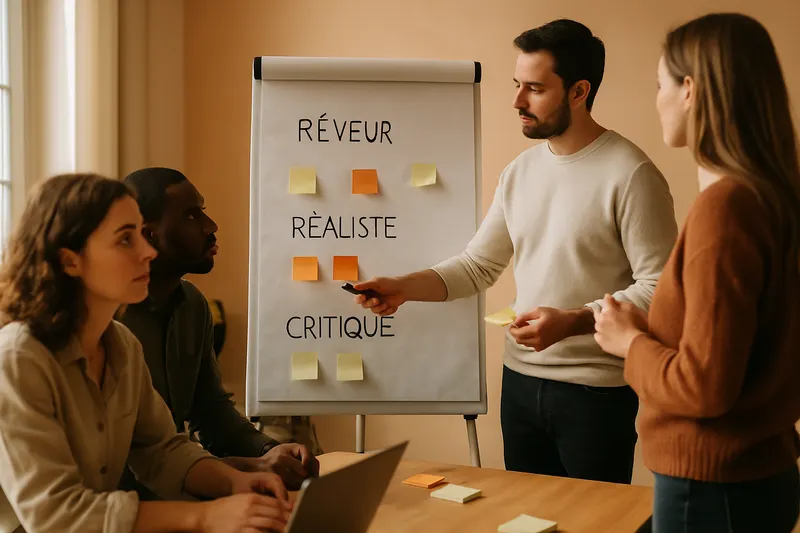
Walt Disney Method (Dreamer, Realist, Critic)
Maturing an idea by separating dreams, action plans, and constructive criticism.

Data Detective
Investigate a 30% drop and make decisions without being fooled by the data.